Beni Hatırla Örnek Sayfa — Asp net
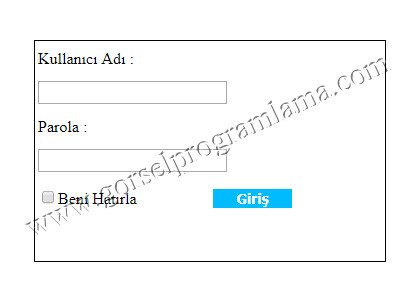
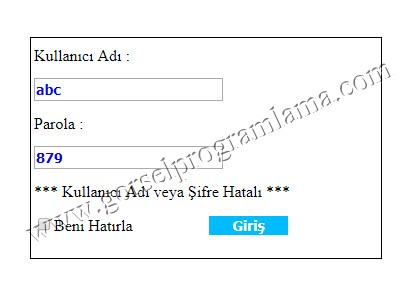
Şifre veya kullanıcı adı yanlış girildiğinde label’a uyarı mesajı yazılır
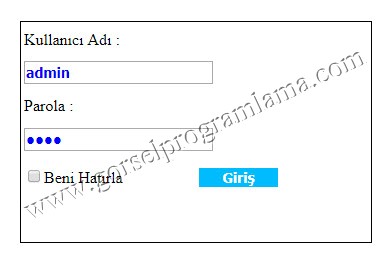
Beni Hatırla işaretlenmedi
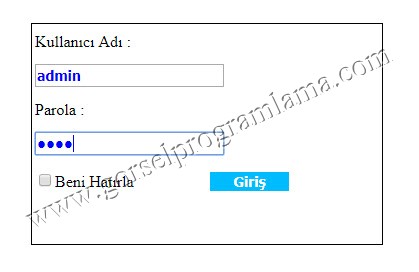
Kullnıcı adı ve şifre doğru olduğu için default2.aspx açılır.
Tekrar açılınca sayfa textboxlar boş gelir.
Beni hatırla işaretlenirse
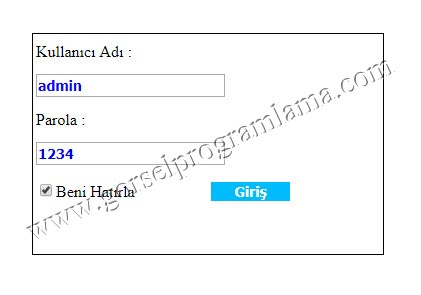
Tekrar açılınca sayfa textboxlar dolu hazır bilgilerle gelir.
Default.aspx
[code lang=”html”]
<%@ Page Language="C#" AutoEventWireup="true" CodeFile="Default.aspx.cs" Inherits="_Default" %>
<!DOCTYPE html>
<html xmlns="http://www.w3.org/1999/xhtml">
<head runat="server">
<title></title>
<style type="text/css">
.button {
font-size: 14px;
font-weight: bolder;
font-family: Tahoma,Arial;
background-color: #00BBFF;
border: 1px solid;
color:white;
}
.kutu {
margin:auto;
width:350px;
height:220px;
border:1px solid black;
position:absolute;
top:40%;
left:40%;
margin-left:-30px;
margin-top:-30px;
}
.auto-style1 {
width: 100%;
line-height:30px;
}
.auto-style2 {
width:70px;
height:30px;
}
.auto-style3 {
width: 150px;
}
.auto-style4 {
width:150px;
}
.textbox {
color: blue;
font-size: 14px;
font-weight: bolder;
font-family: Tahoma,Arial;
}
.auto-style5 {
width: 50px;
}
</style>
</head>
<body>
<form id="form1" runat="server">
<div class="kutu">
<table class="auto-style1">
<tr>
<td class="auto-style2" colspan="2">Kullanıcı Adı :</td>
</tr>
<tr>
<td class="auto-style2" colspan="2">
<asp:TextBox ID="TextBox1" runat="server" CssClass="textbox"></asp:TextBox>
</td>
</tr>
<tr>
<td class="auto-style2" colspan="2">Parola :</td>
</tr>
<tr>
<td class="auto-style5" colspan="2">
<asp:TextBox ID="TextBox2" runat="server" CssClass="textbox" TextMode="Password" ></asp:TextBox>
</td>
</tr>
<tr>
<td class="auto-style4" colspan="2">
<asp:Label ID="Label1" runat="server"></asp:Label>
</td>
</tr>
<tr>
<td class="auto-style4">
<asp:CheckBox ID="CheckBox1" runat="server" Text="Beni Hatırla" />
</td>
<td class="auto-style3">
<asp:Button ID="Button1" runat="server" CssClass="button" Text="Giriş" Width="81px" OnClick="Button1_Click" />
</td>
</tr>
</table>
</div>
</form>
</body>
</html>
[/code]
Default.aspx.cs
[code lang=”csharp”]using System;
using System.Collections.Generic;
using System.Data;
using System.Data.OleDb;
using System.Linq;
using System.Web;//www.gorselprogramlama.com
using System.Web.UI;
using System.Web.UI.WebControls;
public partial class _Default : System.Web.UI.Page
{
protected void Page_Load(object sender, EventArgs e)
{
if (Request.Cookies["cerezim"] != null) //çerezimiz var ise
{
HttpCookie kayitlicerez = Request.Cookies["cerezim"]; //ismini verdiğimiz çerezi yakalıyoruz
TextBox1.Text = kayitlicerez.Values["kulAdi"]; //sessiona değeri atıyoruz
TextBox2.Attributes["value"] = kayitlicerez.Values["sifre"]; //sessiona değeri atıyoruz
}
}
protected void Button1_Click(object sender, EventArgs e)
{
//www.gorselprogramlama.com
OleDbConnection bag = new OleDbConnection("Provider=Microsoft.ace.OleDb.12.0;Data Source=" + Server.MapPath("App_Data/data.accdb"));
OleDbCommand kmt = new OleDbCommand("Select * from kullanicibil Where kulAdi=@kuladi and sifre=@sifre", bag);
kmt.Parameters.AddWithValue("@kulAdi",TextBox1.Text);
kmt.Parameters.AddWithValue("@sifre",TextBox2.Text);
OleDbDataReader oku;
bag.Open();
oku = kmt.ExecuteReader();
if (oku.Read()) //Kayıtlı kullanıcı var ise
{
while (oku.Read())
{
Session["kulAdi"] = oku["kulAdi"];
Session["sifre"] = oku["sifre"];
}
if (CheckBox1.Checked)
{
HttpCookie cerez = new HttpCookie("cerezim"); //çerezimize isim verdik
cerez.Values.Add("kulAdi", TextBox1.Text); //eposta çerezine değeri atadık
cerez.Values.Add("sifre", TextBox2.Text); //şifre çerezine değeri atadık
cerez.Expires = DateTime.Now.AddDays(30); //çerezimizin geçerli olacağı süreyi girdik 30 gün
Response.Cookies.Add(cerez); //çerezi ekledik
}
Response.Redirect("Default2.aspx");
}//www.gorselprogramlama.com
else Label1.Text = " *** Kullanıcı Adı veya Şifre Hatalı *** ";
bag.Close();
}
}[/code]