textbox’taki bilgiyi Excel’e Aktar C#
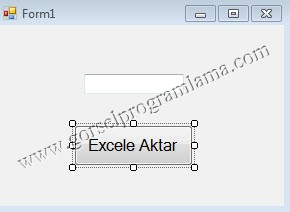
Excele Aktar butonu ve textbox ekleyelim.Ve aşağıdaki kodları yeni eklediğimiz Excele Aktar butonunun click olayına yazalım.Projeyi çalıştırmadan birkaç işlem yapmamız gerekecek. **

Solution Explorer pencresinde References üzerinde sağ tıklıyoruz. Add Reference tıklanır.

Ekrana gelen pencereden Microsoft.Office.Interop.Excel seçilir ve ok’lenir.
[code lang=”csharp”]
<pre>
using System;
using System.Collections.Generic;
using System.ComponentModel;
using System.Data;
using System.Drawing;
using System.Linq;
using System.Text;
using System.Windows.Forms;
namespace textbox_excel_aktar
{
public partial class Form1 : Form
{
public Form1()
{
InitializeComponent();
}
//www.gorselprogramlama.com
private void btnExcel_Click(object sender, EventArgs e)
{
Microsoft.Office.Interop.Excel.Application uygulama = new Microsoft.Office.Interop.Excel.Application();
uygulama.Visible = true; //www.gorselprogramlama.com
Microsoft.Office.Interop.Excel.Workbook kitap = uygulama.Workbooks.Add(System.Reflection.Missing.Value);
Microsoft.Office.Interop.Excel.Worksheet sayfa1 = (Microsoft.Office.Interop.Excel.Worksheet)kitap.Sheets[1];
Microsoft.Office.Interop.Excel.Range alan = (Microsoft.Office.Interop.Excel.Range)sayfa1.Cells[4, 2];
alan.Value2 = textBox1.Text;
}
}//www.gorselprogramlama.com
}
[/code]
Dersin videolu anlatımı ve anlatımda yapılan projeyi indirmek için